Cloud printing without a print server.
Plug your receipt or label printer into a bridge on your network, and anything can print to it — your till, your webshop, your own software. No computer that has to stay switched on, no drivers, no print server.
For POS vendors, webshop platforms and multi-site operators — and for anyone done with the PC in the corner that exists only to print.
No credit card. Start today without hardware, on a virtual bridge.



How it works
Three steps, and the first two are done in an afternoon. You connect once — and what sits at the counter, a bridge or a computer, you can swap later without touching your integration.
Create an account
Free, no card. Every new account gets a virtual bridge, so you can print from your own code this afternoon — the hardware can follow later.
Connect your printers
Plug them into a bridge — a small device on Wi-Fi or Ethernet, two printers per bridge. Or run the bridge as software on a Mac, a Linux machine or a Raspberry Pi you already have.
Print from whatever you use
Your till, your webshop or your own software sends what should be on the receipt, and the bridge does the rest. Prefer clicking to coding? Print from the dashboard, a spreadsheet or your phone.
Works with the printers you already have
You do not have to buy new printers. If it is a counter receipt printer or a DYMO label printer, it almost certainly works — plug it into the bridge with the USB cable it came with.
LabelWriter 400, 450, Turbo, Twin Turbo, Duo, 4XL
TM-T88 II–VI, TM-T20, TM-T70, TM-T90, TM-U220
and other ESC/POS-compatible models
Not sure about yours? Send us the model number and you will hear the same day. hallo@instntprint.com
Fast, closed, and it keeps running
It prints the moment you ask
The bridge holds an open connection, so nothing waits for the next round. Drawing a receipt takes about seven milliseconds; the rest is your own network. Printers that poll a cloud on an interval cannot do better than that interval.
Safe, and private
Everything travels encrypted, we keep only what is needed to show you your own print history, and we never sell or share your data. The bridge dials out by itself, so nothing has to be opened up in your network. And if what you print should never leave the building at all, you can run the whole thing on your own server.
It keeps going when something drops
The bridge also runs a server on your own network, so the till beside it keeps printing when the internet does not. Firmware rolls itself back if an update fails to start, and a job that never printed is not billed.
Studio
Design without the manufacturer’s software
Studio runs in your browser. Rows, columns and groups, fields that get filled per print, codes that scan — and a preview drawn by the same layer that drives the printer. Designing in Studio →
It arranges itself
Rows and columns keep their spacing when the text grows. Flexbox, on paper.
What you see is what you print
The preview comes from the layer that drives the printer, fonts included.
Fields, and lists
Write {{name}} and your system fills it in. A row repeats over a list.
Codes that scan
QR and barcodes keep their proportions — stretched, no scanner reads them.
213 templates, readyNew
Take one over and change it. From address label to end-of-day report.
Shortcuts you already knowNew
⌘D, Alt-drag, arrow keys, right-click. Like any design tool.
Nothing to install, and no licence per workstation. On a phone the app is for choosing, filling in and printing — designing is work for a big screen.
One request, one receipt
No SDK, no client library. Any language that can make an HTTP request can print, and the response tells you what happened.
Every job carries a key describing that one event. Send it twice and no second receipt comes out. Networks drop — your customer shouldn’t end up with two.
Read the documentation →curl https://instntprint.com/v1/jobs \
-H "Authorization: Bearer <sleutel>" \
-H "Idempotency-Key: bestelling-8412" \
-d '{
"printer": "Balie voor",
"template": "Kassabon",
"data": {
"artikelen": [{ "naam": "Cappuccino", "prijs": "3.80" }],
"totaal": "3.80",
"betaalwijze": "Pin"
}
}'Compared to the alternatives
Three ways to get a print job onto a counter printer. The difference is what you have to buy, and who builds the document.
| Approach | Needs a PC | Needs new printers | Who builds the document | For example |
|---|---|---|---|---|
| A print client on a PC | Yes, and it pays per machine | No | You do — PDF or raw bytes | PrintNode and similar services |
| Printers with cloud firmware | No | Yes, theirs only | You do — ESC/POS | Star CloudPRNT, Epson Server Direct Print |
| A bridge in between | No | No, keep the ones you have | The server does — or you, if you prefer | Instnt Print |
You send values, not documents
This is the part that actually differs. Everywhere else you build the receipt yourself and the service passes it along. Here the layout lives on the server, and your system only says what is on it.
Change the layout without a release
A new logo, a line about returns, a different order of the totals — that is a change to the template, not to your software. No deployment, no app store review.
One template, two kinds of printer
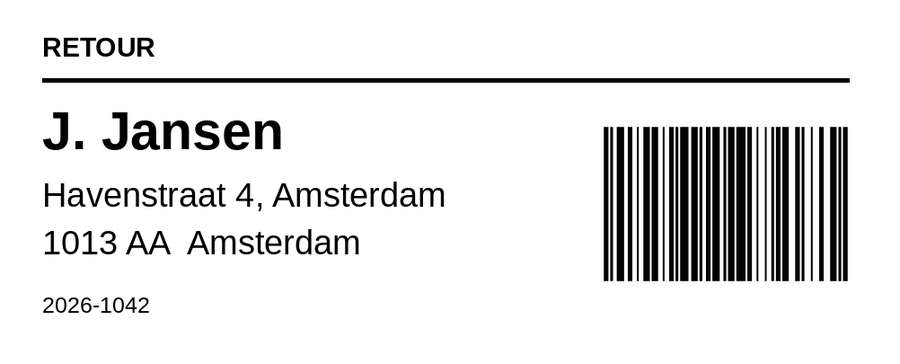
A receipt is a strip that grows with what is on it; a label is a sheet of a fixed size. The same call renders correctly on both, because the server knows which roll it is going to.
The shop’s own details, filled in once
Name, address, VAT number, IBAN. Every template can reach them, so the address is not spelled three different ways across three documents.
Or draw it yourself, if you already do
Already have a system that makes its own receipt or label? Send that instead — an image, or ready-made printer bytes. The server scales an image to the roll or fits it to the label, so it does not need to know which printer it lands on. Up to 8 MB and 50 megapixels per job, so one enormous image cannot hold up anybody else’s printing.
See it before it costs paper
A preview endpoint returns the exact image that would be printed. Handy while building, and handy for a customer who wants to approve the layout first.
What would it cost you
Move the sliders. The sum on the right is the whole bill — subscription, overage and hardware — next to what the usual alternatives run to.
For comparison
A basic machine that has to stay on, per location, written off over three years — power not included.
Priced per machine and per print, on top of that PC. List prices, converted.
Your plan
SmallFirst year, all in
€242excl. VATFor vendors
Integrate once. Ship it to every customer.
You build POS software, a WMS, a booking system or a shop platform, and printing is the part that generates the support tickets. This is the version where the printer is not your problem any more.
What printing costs you today
- A driver or a client to install at every customer, and to keep updated afterwards.
- A remote session to unstick a queue, on a Saturday, for a customer paying €40 a month.
- A layout change that means a release, an app store review, and a customer who waits three weeks.
- Support tickets you cannot close because the machine is switched off and nobody is in the shop.
What else you get
A designer in the browser
Build a template by stacking blocks, and see the print alongside it.
Batches from a list
Drop in a CSV, map the columns, print the whole list without writing code.
A print history
Every job with its image, so you can see afterwards exactly what came out.
Webhooks that are signed
Told when a job finishes, fails, or a printer drops off — with retries logged.
Test mode
Run the whole flow without a single millimetre of paper leaving the roll.
An iPhone app
Print from templates, fill in the fields, and see what each job produced.
Ready when you are
The free plan carries 200 prints a month and a virtual bridge, so nothing has to be shipped before you know whether this works for you.